
Fragnet has hosted game servers since 2010. Over those years we picked up a lot of separate systems: a website to browse games, a customer area for invoices and tickets, a control panel to run your server, and a news page tucked away in the customer area. Each one had its own login and its own look, and you had to move between them.
That's over. As of this month, Fragnet runs on one platform we built ourselves. Ordering, paying, managing your servers and getting help all happen in the same place, with the same account. It also comes with a new look.
New logo, new design

We have a new logo, and the whole site has been redesigned around it: the homepage, every game page, the order page, checkout, your account and the server dashboard. Our emails got the same treatment, and so did this blog.
The goal wasn't only to look sharper. Every page was rebuilt so it's faster, works on your phone and gets to the point: what the server costs, what you get, and what you can do with it.
Everything in one place
One account, one dashboard, one place to ask for help.
Here is what that means day to day:
- One login, four new ways in. Sign in with Google, Discord or Steam, or ask for a one-time login link by email, no password needed. Your email and password still work too.
- Daily backups for every server. Every server is now backed up automatically every 24 hours to separate storage, and we keep the last three. They don't count toward your plan's backup slots, and you can restore one in a couple of clicks.
- Your servers live in your account. Console, files, backups, schedules, settings and players are all on the server's page. No more jumping to a separate control panel.
- Edit configs without editing files. The Configuration tab shows your game's config files as a simple form, with the raw file one click away.
- See how your server is doing. Live CPU, RAM and disk graphs, plus a history of how many players were online, from the last hour to the last 30 days.

- Change your plan any time. Slide RAM and storage up or down on your server's Billing tab and see the new price before you confirm. Switching between monthly, quarterly and yearly billing is just as quick.
- Pay the way you like. Cards, Apple Pay and Google Pay, plus other methods depending on where you are. Pay quarterly and save 25%, or yearly and save 35%.
- Support in the same place. Open a ticket from your account and follow the whole conversation there.
- Bring your team. Invite team members to your account and choose what each person can do.
- Let your community chip in. Turn on a public donation page and anyone can help cover your server's renewal, no account needed. A goal bar shows how much is covered.
- Businesses in the EU can add their VAT ID. We check it right away, and reverse charge applies where it should.

Why we did it
Running on systems built by other people meant every new idea had to fit around them. Now that the whole stack is ours, we can build what our customers actually ask for, and ship it in days instead of months.
It's also simpler and safer: fewer logins, fewer places where your data lives, and one team responsible for all of it.
We also ask for less about you. The old customer area wanted your first and last name; the new one doesn't. To sign up we only ask for your email, a username and your country, which we need to charge the right tax. Data we don't collect is data that can't leak.
Built for your game
A generic panel treats every game the same. We don't. Here are some of the tools we built for specific games.
Farming Simulator 25 and 22
Until now, running a Farming Simulator server meant two logins: ours for your service, and the GIANTS web panel for everything in the game. Not any more. Your whole farm now runs from your Fragnet dashboard. We brought the GIANTS panel's tools into it, and added a few of our own.

- Start, stop and restart the game from the server page, and see its status live, from loading the map to ready to join.
- Every game setting in one form. Server name and passwords, the map and starting economy for a new farm, language, crossplay, autosave and more.
- Mods and DLCs. Turn them on and off, install from ModHub by search, link or mod ID, upload your own and clean out the ones you don't use. Each mod shows what it needs, and missing dependencies are flagged before you start.
- Savegame manager. Upload a savegame into a free slot (we check it before it reaches the server), download yours as a ZIP, or restore an automatic backup in a click.
- Live logs. Follow the game log as it's written and search it for a mod, player or message. Warnings and errors are counted right on the overview.
- Join details at a glance. Server name, join password and admin password, each copied in a click.
The GIANTS panel is still one click away, with its login shown, for the few things our dashboard doesn't cover yet.

And on top of that, tools we built ourselves:
- Live farm map. With our free Fragnet Livemap mod, your fields, buildings and vehicles show up on a live map, with the in-game time, weather forecast and who's online.
- Share your map. Publish the map and get a link you can post or embed on your community's website.
- Scheduled messages. Send messages to every player in game on a schedule.
- License and mod space included. We add the server license for you, and every plan comes with 2 GB for mods.
DayZ
You asked for a proper log viewer, so we built one.

- Live log viewer. Follow the RPT, ADM and script logs as they're written, jump straight to errors and crash logs, search them and download what you need. Passwords and webhooks are hidden, so you can share what you see.
- Server monitoring. We check your server around the clock and restart it automatically if it stops answering. You decide how quickly it steps in, and get an alert by email or on Discord when it does, or when the server crashes.
- Every official map, including Badlands. Switch maps in one click. Each map keeps its own world, so you can always go back.
- Steam Workshop. Install mods and whole collections in a click, with their dependencies.
- Whitelist, bans and priority queue without editing a single file.
- Shared ban list. Run more than one server? Ban a player once and keep the ban in sync across all of them.

Counter-Strike 2
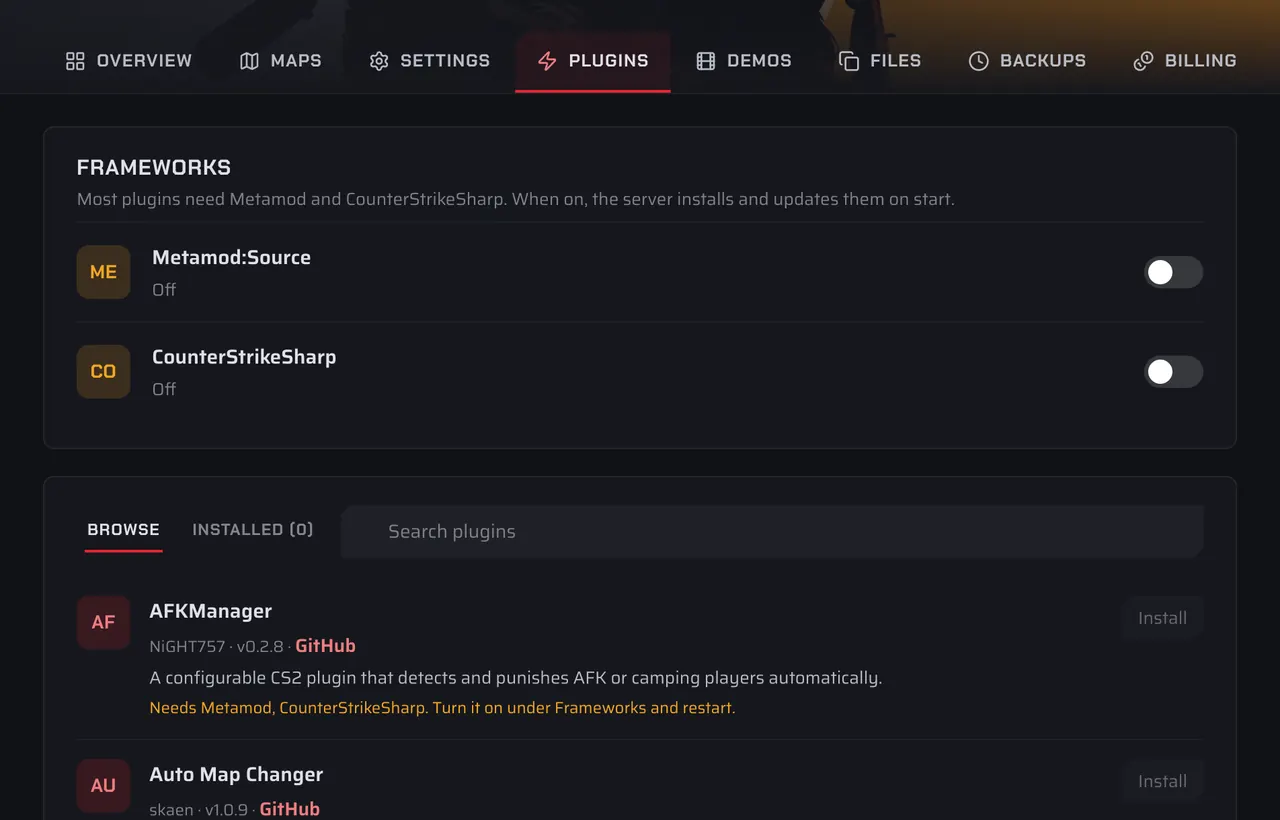
- Plugin installer. Install popular plugins in a click. Metamod and CounterStrikeSharp are set up for you, and you're told when an installed plugin has an update.
- Live console with warning and error filters, right next to your server's graphs.
Rust
- uMod plugins in a click, with Oxide installed for you.
- Wipe manager. Wipe now or on a weekly schedule in your time zone, with a new seed, map size or custom map.
- Player manager. See stats and inventories, message or teleport players.
Minecraft
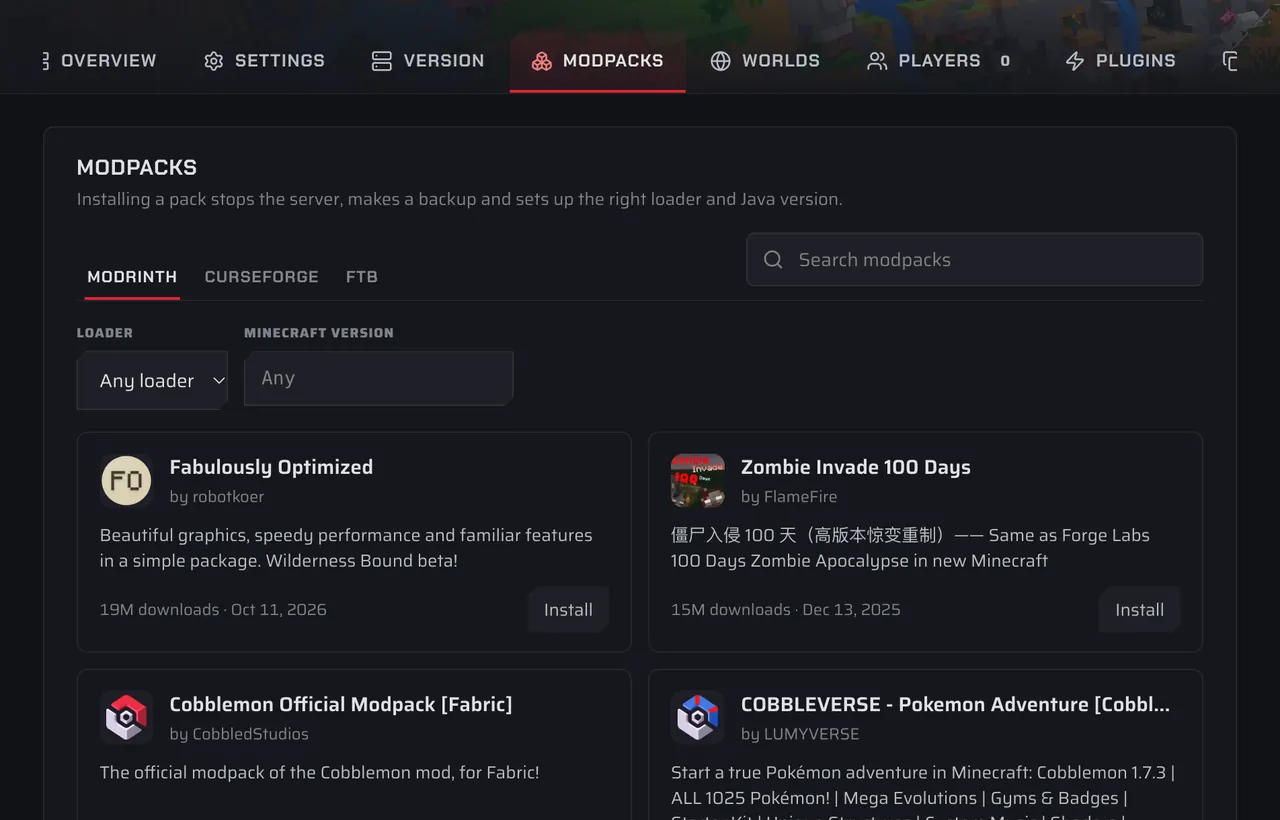
- Modpacks from CurseForge, Modrinth and Feed The Beast, installed in a click.
- Version switcher for Paper, Fabric and other server types, any version and build.
- Player controls to op, kick or ban without typing a command.
Valheim

- World Manager. Upload a world from your PC, download it, start a fresh one and pick which world the server loads.
- World modifiers. Set combat, death penalty, resources, raids and portals for each world, just like in the game's own world settings.
- Mods your way. Turn on BepInEx, then paste a profile code from r2modman, Thunderstore Mod Manager or Gale, drop in your profile's BepInEx folder, or upload a single plugin.
- Share your mod list. Get a code your players import in their mod manager, so everyone runs the same mods at the same versions.
- Crossplay. Turn it on and Xbox, Game Pass, PS5 and Switch 2 players can join with a join code.
- Admins, bans and who may join, all managed from the Players tab.

And more
Battlefield 3 and 4 servers get a free Procon layer and a live scoreboard, and Terraria switches between vanilla, tModLoader and TShock.
Already a customer?
Your servers, and wallet credit have all moved over. If this is your first time signing in on the new site, use Forgot password with the same email address to set a new password, and you're in.
Old news posts haven't gone anywhere either. They all live here on the blog now.
Tell us what to build next
This is the start, not the finish. A lot of what's above came straight from customer tickets, and we want more of that.
What's missing from your game's dashboard? Which game should we support next? What annoys you about running a server? Tell us. Open a ticket or send us a message, and we read every one.
If you spot something that doesn't work the way it should, please tell us too. A new platform this size will have rough edges, and we'd rather hear about them from you.
Next on our list is the documentation. We're rewriting our guides at docs.fragnet.net to match the new dashboard, and the new version will be live soon.
Take a look at the new Fragnet and let us know what you think.
The Fragnet team